
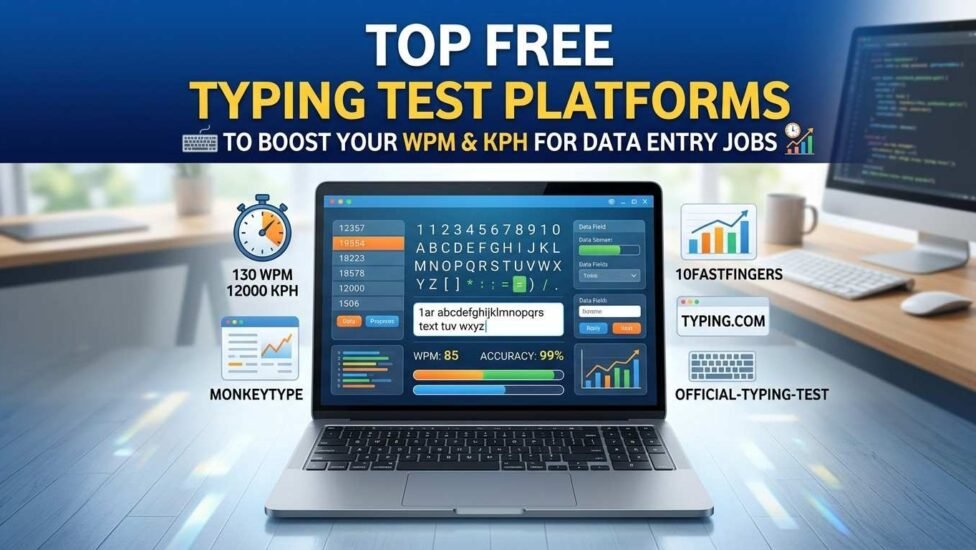
In data entry roles, typing is not merely about pressing keys—it is about execution, workflow efficiency, and operational accuracy. Whether you are applying for remote spreadsheet management, medical billing, or high-volume administrative positions, your typing speed directly dictates your career prospects. Most hiring managers look for candidates who can comfortably handle both standard text input and rapid numeric entry without introducing errors.
To help you build employer-ready speed, we have curated and analyzed the top free typing test websites designed to sharpen your skills, improve accuracy, and prepare you for technical assessments.
Why Typing Speed and Accuracy Matter for Data Entry Roles
WPM vs. KPH: Understanding Data Entry Benchmarks
Standard alphanumeric typing is measured in Words Per Minute (WPM), where five characters equal one word. Most baseline data entry roles require 45 to 60 WPM.
However, specialized data entry tasks involving invoice processing, zip codes, and numerical values measure speed in Keystrokes Per Hour (KPH). Professional numeric data entry benchmarks generally start at 8,000 KPH, with high-performing specialists pushing past 10,000 to 12,000 KPH.
The Cost of Inaccuracy: Why 98%+ Accuracy Is Mandatory
Speed without precision is counterproductive in data entry. A single miskeyed figure on a spreadsheet can skew financial audits or clinical records. Consequently, corporate testing tools calculate Net Speed—penalizing your total score for every uncorrected error. Most employers enforce a minimum accuracy threshold of 98% before evaluating your overall speed.
Top Free Websites for General WPM Typing Practice
1. Monkeytype: Best for Custom Themes, Clean UI, and Raw Speed
For minimalist and highly responsive practice, Monkeytype offers a distraction-free layout. It allows users to test speed over customizable durations (15 seconds to 2 minutes) and includes toggles for punctuation, numbers, and custom word lists. The live accuracy graph helps you spot sudden drops in pacing.
2. Typing.com: Ideal for Building Structured Touch-Typing Habits
If you are transitioning from “hunt-and-peck” typing to proper touch-typing, Typing.com provides a structured, curriculum-style layout. It features guided hand placement diagrams, error-specific drills, and modular lessons that retrain muscle memory for tricky symbols and uppercase letters.
3. 10FastFingers: Perfect for Rapid 1-Minute Speed Tests & Global Benchmarks
10FastFingers is an industry staple for benchmarking your baseline speed against typists worldwide. Its clean 60-second test forces rapid word recognition, making it an excellent warm-up tool before taking actual job pre-employment assessments.
4. Key Hero: Best for Tracking Detailed Accuracy Graphs and Typing Analytics
Key Hero focuses heavily on accuracy-first training. Instead of allowing rapid, sloppy typing, Key Hero records your exact keystroke dynamics and calculates a precise site accuracy score, forcing you to correct mistakes before advancing through long-form passages.
Dedicated Platforms for 10-Key & Numeric Data Entry Drills
Official-Typing-Test.com: Free KPH & Zip Code Drills
When preparing specifically for numeric keypad tests, Official-Typing-Test.com provides dedicated 10-Key assessments. It offers specialized modules for pure numbers, zip codes, and full financial sequences containing math operators, giving you an accurate measurement of your true KPH score.
ThePracticeTest.com: Simulated ProveIt & Data Entry Skills Assessment Tests
Many staffing agencies utilize pre-employment screening platforms like ProveIt or Kenexa. ThePracticeTest.com offers free work-simulation modules that replicate invoice data entry, address verification, and inventory list inputs.
SpeedTypingOnline (10-Key Mode): Practice Invoice, Number Pad, & Symbol Entry
This platform features real-world data drills, including calendar date inputs, account numbers, and currency figures. Practicing on varied data types trains your hands to locate symbols ($, ., /) on the number pad automatically.
Essential Features to Look For in a Typing Practice Site
-
Real-Time Error Correction vs. Strict Modes: Choose sites that allow you to toggle backspace restrictions. Strict modes force you to maintain accuracy rather than relying on quick edits.
-
Free Shareable Typing Certificates: Sites that supply downloadable PDF typing certificates allow you to attach physical proof of performance directly to your resume or LinkedIn profile.
-
Alphanumeric & Symbol Drills: Practice platforms should offer mixed content (letters, numbers, and symbols) to simulate realistic spreadsheet and database entry.
Actionable Daily Routines to Double Your Typing Speed
The 20-Minute Daily Protocol: Mixing Text, Numbers, and Symbols
Break your daily practice into structured segments to maximize retention without causing physical fatigue:
| Time | Target Focus | Key Objective |
|---|---|---|
| 00:00 – 05:00 | Warm-Up (Monkeytype / 10FastFingers) | Build fluid finger movement using standard prose |
| 05:00 – 12:00 | 10-Key Numeric Pad Drills | Practice blind hand placement on the number pad anchor (5-key bump) |
| 12:00 – 18:00 | Mixed Alphanumeric & Symbol Practice | Focus on entering zip codes, dates, and financial symbols |
| 18:00 – 20:00 | Timed Certification Test | Benchmark your final Net WPM and Net KPH for the day |