
Introduction
TikTok has become the go-to platform for short-form entertainment, catching global attention with everything from viral dance trends to quick educational clips. However, not everyone wants to download another application onto their smartphone or register a personal profile just to view a few clips.
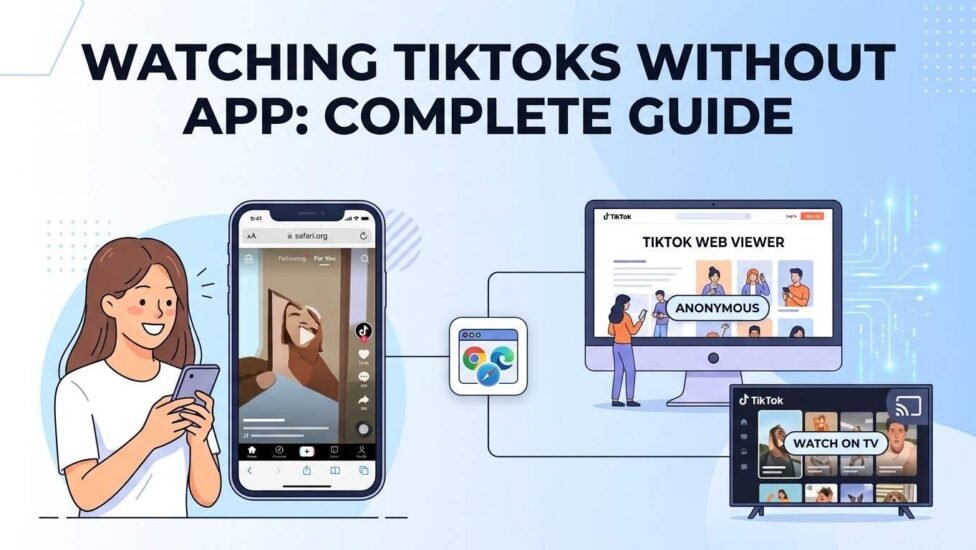
Whether you want to save storage space, protect your digital privacy, or simply check a video someone shared with you, viewing content through alternative methods is simple. You can easily watch TikTok videos on a PC, smartphone, or smart TV using standard web browsers without logging in or downloading the official software.
Direct Methods to Watch TikTok Without Downloading the App
The easiest way to view content without installing anything is by utilizing the official web platform. TikTok offers a fully functional desktop and mobile browser experience that allows visitors to browse content freely.
1. Using Mobile and Desktop Browsers
You can open any popular web browser—such as Google Chrome , Safari, Edge, or Firefox—and navigate directly to the main website.
-
On PC or Laptop: The desktop version automatically loads a clean feed of popular content. You can scroll through videos using your keyboard arrows or mouse wheel without needing an account.
-
On Mobile Devices: When accessing the site on an iPhone using Safari or an Android phone using Chrome, the platform may display pop-up banners asking you to install the application. You can dismiss these banners or enable “Desktop Site Mode” in your browser settings to enjoy an uninterrupted session.
2. Opening Direct Video Links
When a friend sends you a video link via messaging apps, you do not need to install the application to watch it. Simply copy the link, paste it directly into your web browser address bar, and press enter. The video will play inline immediately.
3. Searching for Accounts, Hashtags, and Trends
Even without logging in, you can search for specific creators or topics. Use the search bar at the top of the webpage to type in account names, specific audio tracks, or trending hashtags.
Device-Specific Viewing Guides
Different devices offer distinct viewing experiences. Here is how to optimize video playback across various hardware configurations.
Watching TikTok on PC and Mac
Desktop computers provide the smoothest web experience:
-
Open Chrome, Safari, or any preferred web browser.
-
Visit the main web URL.
-
Use the Explore tab to browse popular categories such as Gaming, Comedy, Food, and Sports.
-
Use full-screen mode for high-definition playback.
Using Safari on iPhone Without Installation
Mobile browsers like Safari sometimes restrict video auto-play or display persistent download prompts. To bypass this:
-
Open Safari and navigate to the website.
-
Tap the AA icon located in the address bar.
-
Select Request Desktop Website.
-
Refresh the page to load the full desktop layout, eliminating mobile install prompts.
Streaming on Smart TVs
If you want to view viral clips on a larger display without setting up an account on your television:
-
TV Web Browser: Open the built-in browser on your Smart TV and navigate directly to the website.
-
Screencasting: Cast or mirror your mobile or desktop browser screen directly to your television via Chromecast or AirPlay.
Understanding Online TikTok Web Viewers & Alternative Tools
In addition to the official website, several third-party web viewer tools exist across the internet. These platforms index public videos and allow users to stream or download content anonymously.
What is an Anonymous Web Viewer?
An anonymous web viewer is a third-party website that fetches publicly available media from social networks. They allow users to search for public profiles and view public uploads without leaving any digital footprint on the host platform.
How to Stay Safe When Using Online Viewers
While third-party viewing tools and online video downloaders offer convenience, safety should remain a top priority:
-
Never enter personal login credentials or financial information on third-party sites.
-
Avoid clicking on aggressive pop-up advertisements or downloading unknown
.exeor.apkfiles. -
Stick to reputable web tools that only require a video URL or username to function. For detailed platform guidelines on privacy, you can also review the TikTok Help Center .
Web Version vs. Mobile App: Key Differences
| Feature | Web Browser Experience | Mobile Application |
|---|---|---|
| Account Required | No | Optional (Required for interaction) |
| Storage Usage | Zero installation space | Requires device storage |
| Viewing Content | Full access to public videos | Full access |
| Liking & Commenting | Disabled | Enabled |
| Posting Content | Limited / Basic uploads | Full creation suite & filters |
| Direct Messaging | Unavailable | Fully supported |
Frequently Asked Questions
Can video creators see who viewed their content if I don’t have an account?
No. Creator profile view histories and video views are completely anonymous when you watch content through a web browser without logging into a profile.
Why does the site keep prompting me to download the application?
Mobile web platforms use aggressive banner notifications to convert web visitors into active application users. Switching your mobile browser to “Desktop Mode” effectively prevents these pop-ups from appearing.
Is it completely free to watch videos online without an account?
Yes, accessing public videos via standard web browsers is entirely free and does not require any paid subscription or registration.
Conclusion
Enjoying short-form video content does not require sacrificing storage space or creating unnecessary user accounts. By utilizing standard desktop browsers, mobile workarounds, or web viewing tools, you can easily stream trending videos on any device while maintaining complete privacy.