
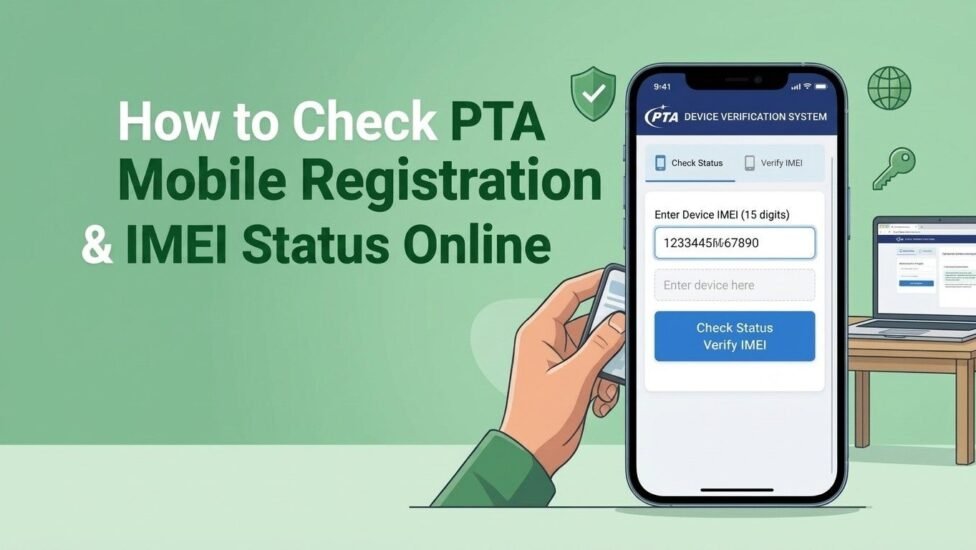
Quick Answer: To do a PTA IMEI check online, dial *#06# to get your 15-digit IMEI number, then enter it at dirbs.pta.gov.pk, send it by SMS to 8484, dial *8484#, or use the official PTA DVS app. Within seconds you will see whether the phone is Compliant (PTA approved), Non-Compliant (needs registration and tax) or Blocked. An unregistered phone stops working on Pakistani SIMs about 60 days after a local SIM is first used in it, so always check before you buy.
Key Points at a Glance
- Find your IMEI: dial *#06#, open Settings > About Phone, or look at the box or SIM tray.
- 4 official ways to check: DIRBS website, SMS to 8484, USSD code *8484#, and the PTA DVS app.
- Cost: the check is free on the website and app; normal SMS charges may apply on 8484.
- Dual SIM phones: have two IMEI numbers, so check both.
- Deadline: a non-registered phone loses network service after 60 days.
- Overseas Pakistanis and visitors: can use their personal phone for up to 120 days per visit with temporary registration.
- Not approved? Register through the DIRBS portal and pay the tax using the PSID through a bank, JazzCash or Easypaisa.
What Is PTA Mobile Registration and Why Does It Matter?
The Pakistan Telecommunication Authority (PTA) only allows legally imported, registered phones to run on local networks such as Jazz, Zong, Telenor and Ufone. It does this through DIRBS, the Device Identification, Registration and Blocking System, which has been active since 2018. DIRBS reads the IMEI of every phone that connects to a Pakistani network and compares it with its database of approved devices.
If your phone is on the approved list, it works normally. If it is not, you get warning messages and, after the grace period ends, the SIM stops making calls, sending SMS and using mobile data. The phone will still work on Wi-Fi, but it becomes almost useless as a phone. That is why a quick PTA mobile registration check online free is the smartest thing you can do before paying for any handset, new or used.
Step 1: Find Your Phone’s IMEI Number
IMEI stands for International Mobile Equipment Identity. It is a unique 15-digit number given to every phone. You need it for every PTA check method.
- Dial *#06# on the phone’s dialer. The IMEI appears on screen right away. Dual SIM phones show two numbers (IMEI 1 and IMEI 2).
- Android settings: Settings > About Phone > Status (or IMEI information).
- iPhone settings: Settings > General > About, then scroll down to IMEI.
- The box: the original retail box has an IMEI sticker. Match it with the number on the screen.
- SIM tray: many newer phones print the IMEI on the SIM tray.
Pro tip: if the IMEI on the screen does not match the box, do not buy the phone. A mismatch can mean a changed board, a fake box or a tampered IMEI.
Step 2: Check PTA Status Using Any of These 4 Methods
Method 1: DIRBS PTA IMEI Check Online (Website)
This is the most popular way to do a DIRBS PTA IMEI check online in 2026, and it works on both a laptop and a phone browser.
- Open the official portal: dirbs.pta.gov.pk.
- Scroll to the device verification box.
- Type your 15-digit IMEI number carefully.
- Fill in the CAPTCHA if shown, then click Check.
- Read the result. It shows the PTA status along with the brand and model linked to that IMEI.
The brand and model shown are very useful. If you are buying a Samsung but the result shows a different brand, the IMEI has been changed and you should walk away.
Method 2: PTA IMEI Check via SMS 8484
No internet? The PTA IMEI check via SMS 8484 works on any phone with a working SIM.
- Open your messaging app.
- Type only the 15-digit IMEI number (no spaces or extra words).
- Send it to 8484.
- You will get a reply in English and Urdu within a few seconds telling you the status.
This is the fastest option when you are standing in a shop or meeting a seller from an online marketplace.
Method 3: Dial *8484# (USSD Code)
The USSD method works over the normal voice network, so it is handy in areas with weak data signals.
- Dial *8484#.
- A menu opens on screen. Choose the option to check device status.
- Enter the IMEI number and send.
- The status appears directly on your screen.
Method 4: PTA DVS App
PTA also offers the Device Verification System (DVS) app on the Google Play Store and Apple App Store. It is useful for shopkeepers and buyers who check many phones.
- Download the official PTA DVS app (check that the developer is the Pakistan Telecommunication Authority).
- Open the device verification section.
- Type the IMEI or scan the barcode from the box.
- Tap Check to see the result.
Which Method Should You Use?
| Method | Needs Internet? | Cost | Best For |
|---|---|---|---|
| DIRBS Website | Yes | Free | Detailed result with brand and model |
| SMS 8484 | No | Normal SMS charges may apply | Quick check at a shop |
| *8484# USSD | No | Free or minimal | Weak signal areas |
| DVS App | Yes | Free | Scanning many phones quickly |
Step 3: Understand What Your Result Means
| Result | Meaning | What to Do |
|---|---|---|
| Compliant / PTA Approved | The phone is registered and will work on all Pakistani networks. | Safe to buy and use. |
| Valid but Not Registered (Non-Compliant) | The IMEI is genuine but PTA tax has not been paid. | Register the phone on DIRBS and pay the tax, or ask the seller to lower the price. |
| Blocked | The phone was reported lost or stolen, or failed registration. | Do not buy. If it is your own phone, contact PTA or your operator. |
| Invalid IMEI | The number is fake, changed or typed wrongly. | Re-check the number. If it still fails, avoid the phone. |
How to Check If a Phone Is PTA Approved Before Buying (Used Phone Checklist)
Most PTA problems happen with second-hand phones. Here is a simple checklist to check the PTA status of a used phone before you hand over any money:
- Dial *#06# yourself on the seller’s phone. Never trust an IMEI written in an ad or sent in a screenshot.
- Check both IMEI numbers on a dual SIM phone. Some phones are approved on one slot only.
- Match the IMEI on screen with the box and the SIM tray.
- Confirm the brand and model on the DIRBS result match the phone in your hand.
- Insert your own SIM and make a test call before paying.
- Be careful with phones sold as “JV”, “patched” or “unofficially approved”. These can get blocked again after a software update.
- Test the speaker and mic too. You can do it in seconds with our guide on how to test microphone audio quality online.
How to Register Your Phone with PTA (If It Is Not Approved)
If your result says the phone is not registered, you can make it legal through the DIRBS portal. The process is the same for iPhone, Samsung, Xiaomi, Vivo, Oppo or any other brand.
- Go to the DIRBS Device Registration System.
- Sign up with your email address, choose the correct purpose and user type, and enter your CNIC or passport details.
- Verify your email through the link PTA sends you, then log in.
- Click the option to register your device.
- Enter your mobile number and the IMEI number(s) of the phone.
- Submit the form. The system generates a PSID (payment slip ID) with the tax amount.
- Pay the PSID through internet banking, a bank branch, JazzCash or Easypaisa.
- After payment, service is usually restored within a few hours. Check the IMEI again on DIRBS to confirm the status has changed to Compliant.
If you use digital wallets for freelancing income, our comparison of Payoneer vs SadaPay vs NayaPay can help you decide which app is easiest for everyday payments like this.
Note: if service does not return within 24 hours even though the status shows Compliant, file a complaint through the PTA Complaint Management System.
PTA Tax Check by IMEI Number Online
Before registering, many people want to know the cost. You can do a PTA tax check by IMEI number online in two ways:
- DIRBS portal: the PSID generated during registration shows the exact tax for your device.
- FBR WeBOC mobile duty page: enter the IMEI to see the duty and taxes linked to that model.
PTA tax is not a fixed fee. It is calculated by the Federal Board of Revenue (FBR) and depends on the phone’s value, customs duty, regulatory duty, sales tax and whether you register on a CNIC or a passport. Filers on the Active Taxpayer List usually pay less withholding tax than non-filers. Because FBR updates these rates from time to time, always check the live amount instead of trusting old tax tables online.
Rules for Overseas Pakistanis and Foreign Visitors
If you are visiting Pakistan with your personal phone, you do not have to pay tax right away. Overseas Pakistanis and foreign nationals can get temporary registration and use their phone for up to 120 days per visit. The arrival is checked against immigration records. If you want to keep the phone working permanently after that, you must register it and pay the tax.
Common Problems and Quick Fixes
- “Invalid IMEI” result: re-type the number. A single wrong digit gives this error.
- No reply from 8484: make sure you sent only the digits, and that your SIM has enough balance.
- DIRBS website not opening: PTA sometimes runs maintenance. Use SMS 8484 or *8484# instead.
- Approved on one SIM only: the second IMEI was not registered. Register it through DIRBS.
- Service gone after an update: the phone was probably patched, not genuinely approved. Only official registration is permanent.
Switching to a newly approved phone? You can move WhatsApp without losing chats. See our guide on how to use one WhatsApp account on two phones.
Frequently Asked Questions
How can I check if my mobile is PTA approved for free?
Dial *#06# to get your IMEI, then enter it on dirbs.pta.gov.pk or in the PTA DVS app. Both methods are free.
What is the PTA IMEI check code?
Use *#06# to see your IMEI, then dial *8484# or send the IMEI by SMS to 8484 to check its PTA status.
How many days can I use a non-PTA phone in Pakistan?
A non-registered phone works for about 60 days after a local SIM is first used in it. Overseas Pakistanis and visitors can get up to 120 days per visit through temporary registration.
Can I use a non-PTA phone on Wi-Fi?
Yes. A blocked or unregistered phone still works on Wi-Fi, but it cannot make calls, send SMS or use mobile data on a Pakistani SIM.
Do I need to check both IMEI numbers?
Yes. Dual SIM phones have two IMEI numbers, and each one must be registered for both SIM slots to work.
Is a PTA approved phone safe from being blocked?
A genuinely registered phone stays approved. It can only be blocked if it is reported lost or stolen, or if the IMEI was tampered with.
Final Thoughts
A PTA IMEI check takes less than a minute and can save you thousands of rupees. Dial *#06#, check the number on DIRBS, SMS 8484, *8484# or the DVS app, and read the result carefully before you buy. If your phone is not approved, register it through DIRBS and pay the tax using the PSID, so your SIM keeps working without interruption. Make this simple check a habit every time you buy, sell or receive a phone in Pakistan.