
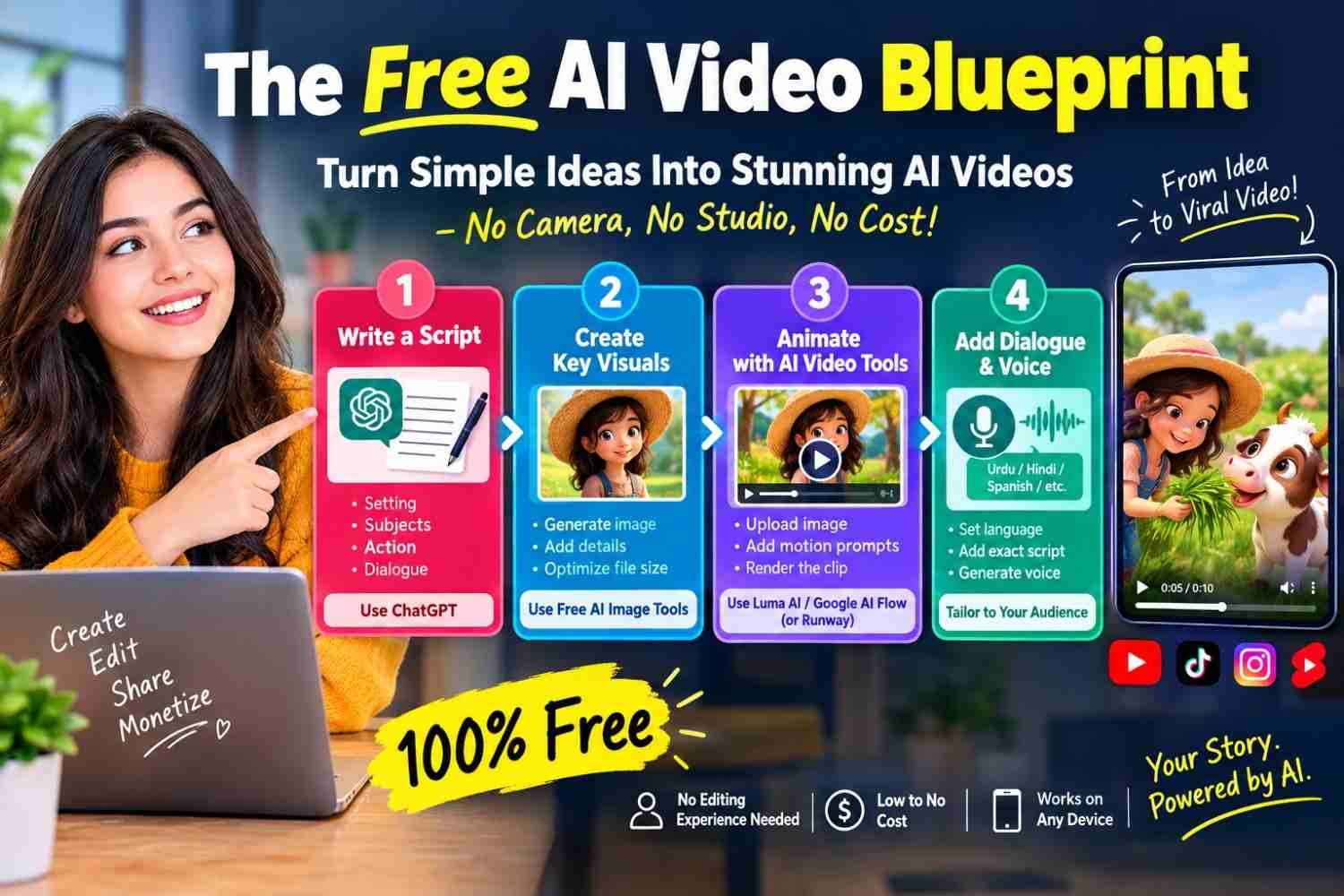
From viral short-form clips to full-length digital stories, AI-generated video content is taking over feeds worldwide. Audiences of all ages are hooked on these unique visuals, with popular clips routinely racking up millions of views across major platforms. For aspiring creators, this massive surge in engagement signals a real opportunity to build an audience—and potentially monetize it—without investing thousands of dollars in high-end camera gear, studio lighting, or complex post-production software.
If you have zero video editing background, you can still jump on this trend. Here is a clear, step-by-step workflow to turn simple ideas into finished AI video clips completely for free.
Step 1: Draft a Focused Script
Every compelling video starts with a clear narrative foundation. When working with short-form content—such as 5- to 10-second clips—your writing needs to be direct and precise.
You can leverage tools like ChatGPT to flesh out your concept. Provide explicit details regarding:
-
The Setting: Describe the background, lighting, and mood.
-
The Subjects: Specify who or what appears in the frame.
-
The Action: Detail what takes place during the scene.
-
The Dialogue: Draft brief, impact-driven lines that fit naturally within the short duration.
A tight script acts as your blueprint, ensuring the AI model understands precisely what to generate.
Step 2: Design and Prepare Your Key Visuals
Before generating motion, you need a visual anchor. Use a free AI image generator to design your core character or scene.
-
Generate the Image: Input a detailed prompt describing your character’s features, clothing, and expression.
-
Optimize File Sizes: Once you settle on an image, resize or compress it if necessary. Keeping file sizes lightweight ensures faster upload times and prevents visual rendering glitches during the video generation phase.
Having a clean, high-resolution source image gives the video generator a solid baseline to animate smoothly.
Step 3: Animate Your Scene with AI Video Tools
With your script and character image ready, pass those assets into an AI video generator like Google AI Flow (or Luma AI’s Dream Machine).
-
Upload Your Image: Use your rendered image as the visual reference frame.
-
Input Motion Prompts: Combine your initial script context with motion-specific directives. Clearly explain camera angles, movements, and character actions (e.g., “The character turns toward the camera, smiles, and gestures gently”).
-
Render the Clip: Let the tool process the prompt to synthesize realistic motion based on your visual input.
Step 4: Integrate Custom Dialogue and Voice Tracks
To make your content resonate with localized or niche audiences, tailor the voice performance and language settings.
When configuring your generation parameters:
-
Specify the Language: Use targeted instruction prompts to define the required dialect or regional language (such as Urdu, Spanish, or Hindi).
-
Add Dialogue Directives: Insert exact spoken lines directly into your prompt sequence.
Example Script Setup:
A simple, playful conversation—like a character offering fresh grass to a cute animated cow while delivering a quick, friendly line—can transform a basic animation into an entertaining, highly shareable social clip.
Start Experimenting Today
Creating modern AI videos no longer requires a production studio or technical expertise. By linking four core steps—scripting, image generation, video rendering, and voice tailoring—anyone can produce high-quality, eye-catching clips right from a standard web browser.
The key to finding your niche is continuous iteration. Try testing different visual aesthetics, experimenting with unique character concepts, and exploring distinct storytelling styles until you find a format that resonates with your audience.
People Also Ask (Google-Style FAQs)
Which AI is completely free for video creation?
Tools like Luma AI (Dream Machine), Google AI Flow, and Runway offer free trial credits or free access plans that allow beginners to generate high-quality AI video clips without paying anything upfront.
Can I create AI videos using just my phone?
Yes, most AI tools like ChatGPT, free AI image generators, and web-based video creators work directly in mobile browsers, making it easy to write scripts, create images, and generate videos on a smartphone.
How do beginners make AI videos?
Beginners can create AI videos in four simple steps: write a short script using ChatGPT, generate a character image, upload the image to an AI video tool like Luma AI to animate it, and add custom voice prompts or dialogue.
Can you monetize AI-generated videos on social media?
Yes, creators can monetize AI videos on platforms like YouTube Shorts, TikTok, and Instagram Reels through creator funds, brand sponsorships, and ad revenue—provided the content is unique and follows platform monetization guidelines.
How do I get an AI character to speak in a specific language?
You can specify the language in your prompt instructions (e.g., “Add dialogue in Urdu”) and write the exact text or script in that language so the AI generates the spoken audio or visual speech accordingly.