
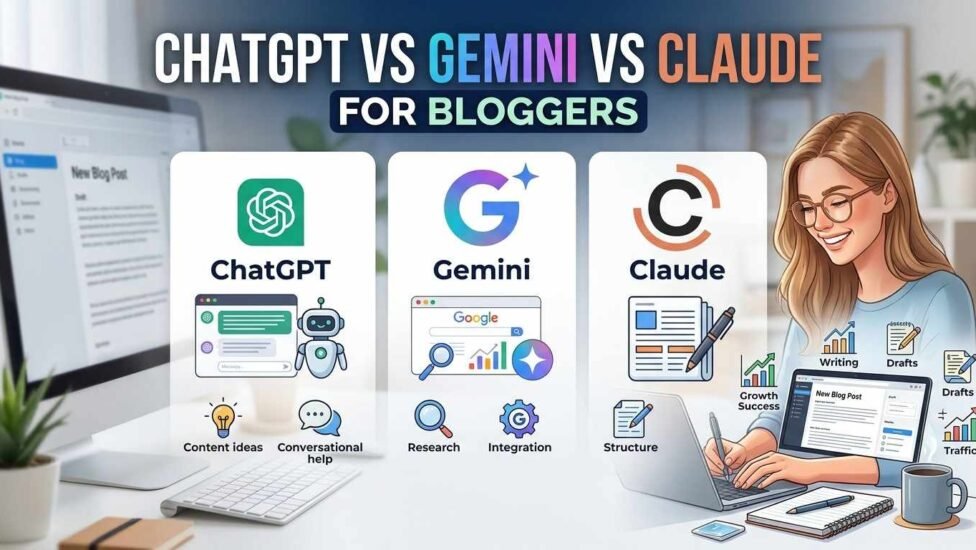
Quick Answer: Use Gemini for research and fresh facts, Claude for drafting and editing long articles, and ChatGPT for images, quick ideas and repurposing content. Most bloggers get the best results by using the free tiers of all three for different steps instead of paying for just one.
Every “ChatGPT vs Gemini vs Claude” comparison tests coding, math and benchmarks. That is not what a blogger does all day. You need topic ideas, keyword clusters, outlines, a draft that does not sound robotic, a meta description, a featured image and a few social posts to promote it.
This guide skips the benchmarks and compares the three tools on the actual jobs inside a blogging workflow, so you know exactly which one to open for each task.
ChatGPT vs Gemini vs Claude: Quick Comparison for Bloggers
| Blogging Task | Best Choice | Runner-Up |
|---|---|---|
| Topic and trend research | Gemini | ChatGPT |
| Keyword clustering and search intent | ChatGPT | Gemini |
| Article outlines | Claude | ChatGPT |
| Long-form drafting | Claude | ChatGPT |
| Editing and rewriting in your voice | Claude | ChatGPT |
| Meta titles and descriptions | ChatGPT | Claude |
| Featured images and graphics | ChatGPT | Gemini |
| Summarizing videos, PDFs and long sources | Gemini | Claude |
| Repurposing for social media | ChatGPT | Claude |
| Google Docs and Gmail workflow | Gemini | — |
What Each AI Is Best At (In One Line)
- ChatGPT (OpenAI): The all-rounder. Good at almost everything, with built-in image generation, voice mode and the biggest library of custom GPTs.
- Gemini (Google): The researcher. Tightly connected to Google Search, YouTube and Google Workspace, and strong with long documents and video.
- Claude (Anthropic): The writer. Produces the most natural, human-sounding prose and follows long, detailed instructions closely.
Step 1: Topic Research and Trend Spotting
Winner: Gemini
Blog research depends on what people are searching for right now. Gemini pulls from Google Search directly, so its answers about recent events, new product launches and current trends tend to be fresher and easier to verify.
Gemini is also useful when your source material is a YouTube video. Paste the link and ask for the key points, questions viewers ask in the video, or angles that are missing. That gives you content gaps you can cover in your own post.
Try this prompt: “List 15 blog post ideas about [topic] that people are searching for this month. Group them by search intent: informational, comparison and buying.”
ChatGPT and Claude can also search the web, but Gemini’s link to Google makes it the most natural starting point for research.
Step 2: Keyword Clustering and Search Intent
Winner: ChatGPT
Once you have a list of keywords from a tool like Google Search Console, Ahrefs or Ubersuggest, ChatGPT is fast at sorting them into clusters, labelling intent and suggesting which keyword deserves its own post and which should be a subheading.
It also handles spreadsheets well. Upload a CSV of keywords and ask it to group them by topic and flag duplicates. This saves hours of manual sorting.
If you also drive traffic from Pinterest, the same clustering approach works there. Our guide on Pinterest keyword strategy for steady blog traffic shows how to turn these clusters into pins that keep sending visitors.
Important: No AI tool has real search volume data. Always confirm volume and difficulty in a proper SEO tool. Use AI for organizing and intent, not for numbers.
Step 3: Building the Article Outline
Winner: Claude
A good outline decides whether your article ranks. Claude is excellent at taking a messy brief, a focus keyword, competitor headings and your own notes, and turning them into a logical structure that covers the topic fully without repeating itself.
Claude rarely drops instructions from long prompts. If you tell it “use the focus keyword in the first 100 words, add an FAQ section, include a comparison table and keep H2s under 60 characters,” it usually follows all of them.
Try this prompt: “Here are the H2 headings from the top 4 ranking articles for [keyword]. Create an outline that covers everything they cover, plus 3 angles none of them include. Write for beginner bloggers.”
Step 4: Writing the First Draft
Winner: Claude
This is where the difference between the three tools is easiest to see. Claude’s writing has varied sentence lengths, fewer clichés and a more natural tone. It sounds less like a template and needs less editing before it is ready to publish.
ChatGPT writes clean, well-structured drafts, but they often fall into a recognisable AI pattern: predictable openings, the same transition phrases and lists everywhere. Gemini is fine for simple informational posts but is usually the weakest of the three for tone and personality.
For bloggers, Claude’s real strength is voice matching. Paste two or three of your best published articles and ask it to write in the same style. The result is much closer to your own writing than a generic AI draft.
A Word of Warning
Do not publish any AI draft as it is. Google rewards content that shows real experience. Add your own examples, screenshots, opinions and tested results. AI should speed up your writing, not replace it.
Step 5: Editing, Rewriting and Fixing Old Posts
Winner: Claude
Updating old articles is one of the fastest ways to win back traffic. Claude is very good at tightening loose paragraphs, removing filler, simplifying jargon and rewriting sections without changing the meaning.
Its large context window also means you can paste a long article in full and ask for specific fixes, such as “find sentences longer than 25 words and shorten them” or “rewrite the introduction so the answer comes in the first two lines.”
ChatGPT is a close second and is especially good at quick grammar and clarity fixes.
Step 6: Meta Titles, Descriptions and On-Page SEO
Winner: ChatGPT
For short, punchy output like meta titles, meta descriptions, image alt text and URL slugs, ChatGPT is quick and creative. Ask for ten variations within a character limit and pick the best one.
Try this prompt: “Write 10 meta titles under 60 characters and 5 meta descriptions under 155 characters for an article targeting [keyword]. Include the keyword naturally.”
After publishing, check the page with a free SEO extension to catch missing headings, broken links or duplicate tags. Our list of 7 free extensions to fix on-page SEO in seconds covers the best ones.
Step 7: Featured Images and Blog Graphics
Winner: ChatGPT
ChatGPT has image generation built into the chat, so you can describe a featured image, get it, and ask for changes in the same conversation. It is also good at adding readable text to images, which helps with thumbnails and Pinterest pins.
Gemini can also generate images and is a solid option, especially on the free plan. Claude does not create images, though it can analyse images you upload and suggest improvements.
Tip: AI images are often large files. Compress them before uploading to WordPress so they do not slow down your page.
Step 8: Working With Long Sources, PDFs and Videos
Winner: Gemini
If your article is based on a long report, a research paper or a one-hour YouTube video, Gemini handles it best. It can process long documents and video content natively and pull out the key facts, quotes and data points you need.
Google also offers NotebookLM, a free tool built on Gemini that turns your sources into summaries, study guides and even audio overviews. It is a great research companion for bloggers. See how it works in our guide on NotebookLM for students: notes to podcasts and guides; the same features work perfectly for blog research.
Claude is also strong with long documents and is especially good at accurately answering questions from what you upload.
Step 9: Repurposing Content for Social Media
Winner: ChatGPT
One blog post can become a Twitter/X thread, a LinkedIn post, five Pinterest pin descriptions, a YouTube Shorts script and an email newsletter. ChatGPT is fast and versatile at switching formats and platforms.
If the post needs to sound personal, such as a LinkedIn story or a newsletter intro, run the ChatGPT version through Claude for a more natural tone.
Accuracy and Fact-Checking: Which One Can You Trust?
All three tools can make mistakes, also known as hallucinations. Here is how they differ in practice:
- Gemini is strongest on recent facts because it is grounded in Google Search, and it often shows where information came from.
- Claude is more likely to admit when it is unsure instead of inventing an answer, which makes it safer for detailed topics.
- ChatGPT is very capable but can sometimes state wrong information confidently, so double-check statistics, dates and names.
Whichever tool you use, verify every statistic, price and claim before you publish. One wrong fact can damage your credibility with readers and with Google.
Pricing: Free vs Paid Plans for Bloggers
All three tools have a free plan, and each offers a main paid plan at around $20 per month. Prices and limits change often, so check each provider’s pricing page before subscribing.
| Feature | ChatGPT | Gemini | Claude |
|---|---|---|---|
| Free plan | Yes | Yes | Yes |
| Main paid plan | Around $20/month | Around $20/month | Around $20/month |
| Image generation | Yes | Yes | No |
| Web search | Yes | Yes (Google) | Yes |
| Best extra for bloggers | Custom GPTs and images | Google Workspace and extra storage | Projects for saving your style and brand guidelines |
Which One Should You Pay For?
- Pay for Claude if you publish long articles regularly and spend a lot of time editing AI drafts.
- Pay for ChatGPT if you want one tool for writing, images, social posts and quick SEO tasks.
- Pay for Gemini if you work inside Google Docs and Gmail or your content depends heavily on fresh research and YouTube sources.
- Pay for none if you are just starting. The free plans of all three are enough to run a full blogging workflow.
A Simple Daily Workflow Using All Three
- Gemini: Research the topic, check what is new and summarise top-ranking pages or videos.
- ChatGPT: Cluster your keywords and confirm search intent.
- Claude: Build the outline and write the first draft in your voice.
- You: Add personal experience, examples, screenshots and fact-check everything.
- ChatGPT: Create the meta title, meta description, alt text and featured image.
- ChatGPT and Claude: Repurpose the post into social media content.
This split uses each tool for what it does best, and it costs nothing if you stay on the free plans.
Common Mistakes Bloggers Make With AI
- Publishing raw AI drafts: Thin, generic content rarely ranks for long.
- Trusting AI keyword data: AI tools guess search volume. Use real SEO tools.
- Using one tool for everything: You lose quality on the tasks that tool is weak at.
- Vague prompts: “Write a blog post about X” gives average results. Give the audience, keyword, length, tone and structure.
- Skipping fact-checks: A single wrong statistic can cost you reader trust.
Final Verdict
There is no single winner in the ChatGPT vs Gemini vs Claude debate for bloggers, and that is good news. Each tool leads in a different part of the workflow.
Choose Claude for writing and editing, Gemini for research and long sources, and ChatGPT for images, SEO snippets and repurposing. Combine them, add your own experience on top, and you will publish faster without sacrificing quality.
Frequently Asked Questions
Which AI is best for writing blog posts?
Claude is generally the best for writing blog posts because its output sounds more natural and follows detailed instructions closely. ChatGPT is a strong second choice.
Is Gemini good for blogging?
Yes. Gemini is especially useful for research, current trends, summarising YouTube videos and working inside Google Docs. It is less strong than Claude for tone and style.
Can ChatGPT, Gemini and Claude be used for free?
Yes. All three offer free plans with daily usage limits. For most new bloggers, the free plans are enough to research, write and promote articles.
Will Google penalise AI-written content?
Google focuses on whether content is helpful, not on how it was written. AI content that is thin, copied or unedited can perform poorly, while AI-assisted content with real experience and accurate facts can rank well.
Which AI is best for SEO?
ChatGPT is great for meta titles, descriptions and keyword clustering, Gemini for research, and Claude for writing in-depth content. For keyword volume and difficulty, you still need a dedicated SEO tool.
Should I use one AI tool or all three?
Using all three for different steps gives the best results. If you can only pay for one, pick the tool that matches the task you spend the most time on.