
Managing multiple client deadlines, project deliverables, and invoicing schedules as a solo freelancer can quickly become overwhelming. While popular SaaS platforms like Trello, Asana, and Monday.com offer polished interfaces, their monthly subscription fees can significantly eat into a freelancer’s profit margins. Furthermore, locking your valuable client data inside proprietary cloud platforms limits your customization options and control over your records.
This is where open-source project management software becomes a game-changer. By choosing open-source solutions, solo freelancers gain total data privacy, complete software customization, and freedom from recurring subscription costs. In this guide, we will explore the best open-source project management tools tailored specifically for independent professionals and show you how to streamline your freelance workflow.
1. Why Solo Freelancers Need Open-Source Project Management
Switching from commercial SaaS applications to open-source alternatives offers distinct strategic advantages for independent contractors and creative workers:
-
Complete Data Privacy & Ownership: You retain 100% ownership of your client records, contracts, and communication histories without third-party tracking or data mining.
-
Elimination of Recurring Monthly Costs: Avoid tiered pricing models that charge per-user or gate essential features behind enterprise plans.
-
Tailored Customization: Open-source platforms allow you to modify interfaces, create custom field types, and configure workflows that perfectly mirror your specific service delivery model.
2. Core Features Every Freelancer Should Look For
When evaluating an open-source project management solution for a solo operation, prioritize tools that combine task organization with practical business operations:
-
Visual Kanban Boards & Milestones: Clear visual drag-and-drop interfaces help you track job stages from initial client lead to final deliverable.
-
Integrated Time Tracking: Monitoring exact hours spent on specific tasks simplifies accurate client billing and project profitability analysis.
-
Client Collaboration Portals: Safe, permission-controlled guest access allows clients to review progress, approve assets, and submit feedback directly within your board.
3. Top Open-Source Project Management Tools for Freelancers
Here are the top open-source platforms that offer outstanding features for solo freelancers:
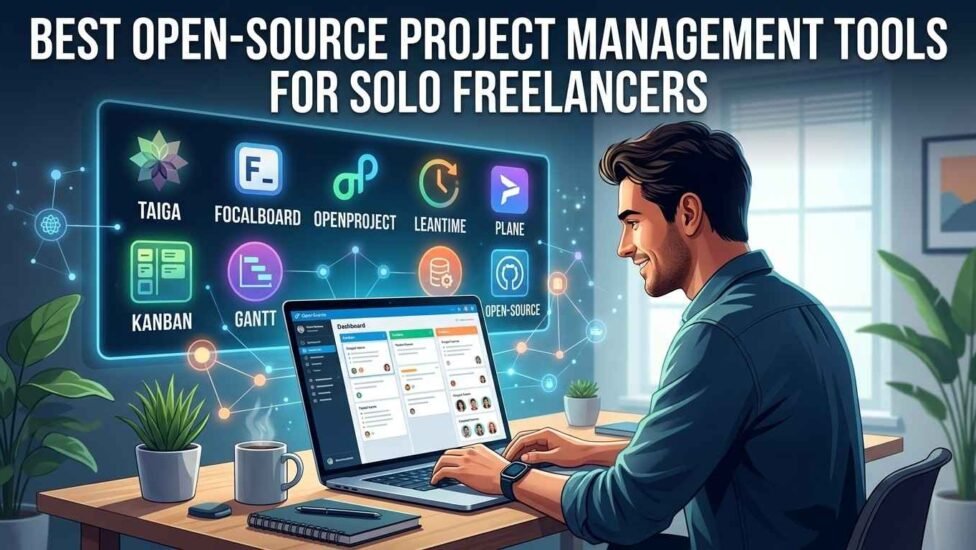
1. Taiga
Taiga is designed with agile methodologies in mind, making it ideal for freelance web developers, software engineers, and technical project managers. It features intuitive user story mapping, backlog management, and customizable Scrum and Kanban boards.
2. Focalboard
If you prefer a visual, block-based workspace similar to Notion, Focalboard is an exceptional open-source alternative. Developed by Mattermost, it allows freelancers to organize tasks using tables, galleries, and board views while remaining extremely lightweight.
3. OpenProject
For freelancers handling complex, multi-stage client contracts, OpenProject offers powerful enterprise-grade project planning. It provides comprehensive Gantt charts, roadmap planning, and detailed bug-tracking tools without requiring proprietary software licenses.
4. Leantime
Leantime combines goal tracking, visual brainstorming, and task management into a clean, intuitive layout. Designed specifically for small teams and solo innovators, it helps freelancers connect high-level business goals directly to daily actionable tasks.
5. Plane
Plane is a modern, fast, and beautifully designed open-source task management platform. It offers an sleek user interface inspired by tools like Linear, providing issue tracking, cycles, and module management for modern digital creators.
4. Deploying and Hosting Your Project Workspace
One of the greatest benefits of open-source software is the flexibility in deployment. Depending on your technical experience and workflow requirements, you can choose between local desktop deployment or remote cloud hosting:
-
Local Offline Hosting: Many tools like Focalboard can run locally on your desktop or laptop, keeping your project data entirely offline and accessible without an internet connection.
-
Cloud VPS Deployment: If you want cross-device synchronization and client access, hosting your platform on a virtual private server (VPS) is cost-effective. For instance, developers and freelancers managing containerized applications can streamline cloud deployments using the Linode Docker Marketplace Application to deploy isolated server environments in minutes.
-
One-Click Installer Services: Many cloud hosting providers offer automated stack installers (such as Docker or CapRover) that install open-source tools with zero manual command-line configuration.
5. Step-by-Step: Organizing Your Freelance Business
To maximize productivity with your chosen open-source tool, structure your workspace logically from day one:
-
Create Separate Client Workspaces: Maintain isolated boards or projects for each active client to keep communications and files distinct.
-
Build a Master “Lead Pipeline” Board: Set up a Kanban board to track potential leads from initial contact, proposal sent, contract signed, to project kickoff.
-
Set Up Automated Reminders: Configure recurring tasks for administrative duties such as weekly invoicing, contract renewals, and quarterly tax preparation.
-
Leverage Code Repositories & Documentation: If your freelance work involves software development or content creation, maintaining structured project documentation is crucial. Developers looking to host private codebases alongside their project management boards can set up self-hosted version control using the GitLab Community Edition Documentation Guide for complete source code management.
6. Frequently Asked Questions (FAQs)
Do I need advanced coding skills to use open-source project management software?
No. Many modern open-source applications offer desktop installers, cloud-hosted versions, or simple one-click Docker templates that require no programming knowledge to operate.
How do open-source tools compare to paid platforms like Trello or Asana?
Open-source tools offer comparable—and often superior—feature sets, including Kanban boards, Gantt charts, and custom fields, without gating features behind costly monthly subscription paywalls.
Can I grant my clients access to my open-source project boards?
Yes. Most platforms allow you to create guest or viewer accounts with specific permission levels, enabling clients to view project progress without viewing sensitive business data.
Conclusion
Upgrading your freelance workflow with an open-source project management tool is one of the smartest operational moves an independent professional can make. By shifting away from restrictive proprietary SaaS platforms, you retain complete ownership over your client records, eliminate unnecessary monthly subscription expenses, and build a customized productivity system that scales alongside your business. Explore these open-source options today to take full control of your freelance projects.
Related post: Watching TikToks Without App: Complete Guide